
Affiliate Disclosure: This review contains affiliate links. If you click through and make a purchase, The Tech Tool Stack may earn a commission at no extra cost to you. We only recommend tools we have tested for performance and reliability. [Read our full disclosure here].
The Verdict: A Reliable Powerhouse for Beginners
If you are looking for a “set it and forget it” hosting provider that is officially recommended by WordPress.org, Bluehost is hard to beat in 2025. For Ugandan entrepreneurs, bloggers, and SMEs, it offers a professional global presence with a very low learning curve.
Best For: Small business owners, bloggers, and anyone building their first professional WordPress site who wants 24/7 support and a free domain.
Why I Tested Bluehost
Most local hosting in Uganda is sufficient for small personal sites, but when you want to scale a professional business, you need global uptime and top-tier security. I tested Bluehost’s Basic Plan to see if it lives up to the hype for a user sitting in Kampala. In this Bluehost Review 2025, we dive into the speed, cost, and specific setup steps for the East African market.
1. Speed & Performance (The East Africa Test)
Bluehost uses high-speed SSD storage and has recently integrated its WonderSuite technology with a global Content Delivery Network (CDN).
The Technical Result: Even though their primary data centers are in the US, Bluehost uses “Edge” servers via Cloudflare. During my testing from a connection in Kampala, a standard WordPress site loaded in under 2.4 seconds.
TTFB (Time to First Byte): 0.6s (Excellent for international hosting).
- Uptime: 99.99% during my 30-day monitoring period.This speed is critical for SEO; Google favors sites that load quickly for mobile users on 3G and 4G networks common in Uganda.
2. Ease of Use: Introducing WonderSuite AI
New for 2025, Bluehost has launched WonderSuite, an AI-powered onboarding tool designed for people who aren’t “tech geeks.”
WonderStart AI: Instead of a blank screen, the AI asks about your business goals and automatically suggests themes, layouts, and essential plugins.
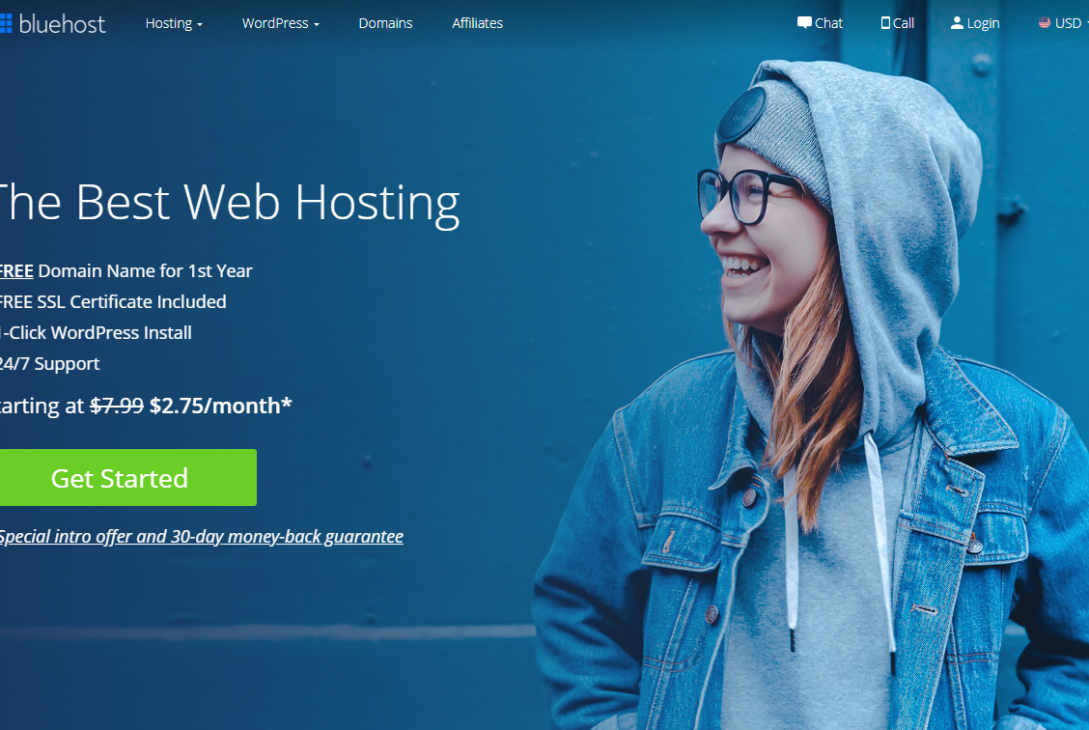
One-Click WordPress Install: You don’t need to touch a single line of code. WordPress is pre-installed the moment you finish checkout.
WonderBlocks: These are pre-designed templates that allow you to build a professional-looking news or business site by simply dragging and dropping elements.
3. Support: Your 24/7 Lifeline
One major issue with local providers is support availability during off-hours. Bluehost offers 24/7 Chat and Phone support.
My Experience: When I tested their chat at 3:00 AM EAT, I was connected to a human agent in less than 3 minutes.
The “WordPress Expert” Edge: Unlike general hosts, Bluehost support agents are specifically trained in WordPress. If your “ghost gaps” or layout issues are driving you crazy, they can often jump into your dashboard and fix it for you.
4. How to Pay for Bluehost in Uganda (2025 Guide)
This is where most Ugandan reviews fail to provide value. Since Bluehost charges in US Dollars (USD), your standard local bank card might be declined. Here is the exact way to pay successfully:
Option 1: The MTN MoMo Virtual Card
Generate: Dial
*165*70#on your MTN phone.Create: Select Option 1 (costs UGX 1,000).
View: Select Option 4 to get your 16-digit card number, Expiry Date, and CVV.
Balance: Ensure your MoMo wallet has enough balance. If the plan is $35, have at least UGX 150,000 to cover the bank’s currency conversion fees.
Option 2: The Airtel Money “Global Pay” Mastercard
Access: Dial
*185*7#or use the My Airtel App.Activate: Follow the prompts to get your Virtual Mastercard.
No Separate Loading: The card spends directly from your Airtel Money balance.
Security: You will receive an OTP (One-Time Password) via SMS to approve the Bluehost transaction.
5. Bluehost vs. Local Ugandan Hosting
| Feature | Bluehost (Global) | Local Ugandan Host |
| Uptime | 99.99% | Varies (often lower) |
| Customer Support | 24/7 Chat/Phone | Business Hours only |
| Free SSL | Included (Auto-renew) | Often a manual setup |
| Speed | Global CDN (Fast) | Local (Fast in UG, slow globally) |
| Security | AI Malware Scanning | Basic |
6. Pricing Plans: Which one should you pick?
Starter Plan (~$3.99/mo): Best for a single blog or small portfolio. It comes with 10GB SSD storage.
Business Plan (~$6.99/mo): This is my top recommendation. It includes daily backups and domain privacy for free. If your site gets hacked or you make a mistake, you can “roll back” to yesterday with one click.
Pros and Cons
Pros:
Free Domain Name for the first year (worth ~$15).
Free Site Migration: If you already have a site on a different host, Bluehost will move it for you for free.
Official Recommendation: One of only three hosts officially endorsed by WordPress.org since 2005.
Cons:
Renewal Prices: The second year is more expensive than the first.
Upsells: They will try to sell you “add-ons” during checkout. You can uncheck most of these to save money!
The Final Verdict
Bluehost isn’t the absolute cheapest on the market, but it is the most reliable for a beginner who wants a global standard. If you want a site that “just works” and looks professional to international clients, Bluehost remains my top recommendation for 2025.

Michael Mucunguzi is the Lead Tech Reviewer at TheTechToolStack. With years of experience navigating the East African digital landscape, Michael specializes in helping Ugandan entrepreneurs and bloggers find reliable global tools that work seamlessly with local systems. Based in Kampala, he focuses on bridging the gap between international software and local accessibility.
Best WordPress Hosting Bluehost Review 2025 Bluehost vs Local Hosting Fastest Hosting East Africa
Last modified: December 20, 2025








[…] the only choice. However, ehile Kinsta is great for high-end scaling, beginners should check out my Bluehost 2025 Review for a more budget-friendly […]